Start with a clear reference
One clear adult portrait, with the face unobstructed. Waist-up works well. JPG, PNG or WebP, up to 10 MB.
You Never Let Her Pay AI · 1 photo · 12s · 9:16
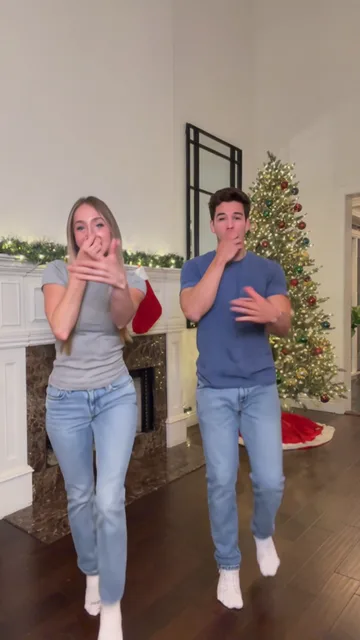
Reference: @boby.biggsjohnson, shown via Popliqo. The original clip illustrates the scene and is not a result generated by this tool.
Open the reference siteFrom photo to idea
The You Never Let Her Pay joke turns an offer of generosity into a visual punchline. The diner takes over the check, opens a wallet containing a dish sponge, then heads for the kitchen. Your photo guides the diner; the date and waiter are fictional supporting characters. The useful detail is the pause: the audience needs time to see the sponge before the kitchen explains how dinner will be paid for.
One clear adult portrait, with the face unobstructed. Waist-up works well. JPG, PNG or WebP, up to 10 MB.
The full preset requests 12 seconds in vertical 9:16 at 768P. A 5-second option concentrates on the wallet reveal. Watch the sponge, fingers and wallet contents, then check that the final kitchen shot reads clearly. Add your caption after export.
Reference: @boby.biggsjohnson, shown via Popliqo. The original clip illustrates the scene and is not a result generated by this tool.
One-time payment
Start with one trial video. Choose a subscription or one-time credits for more videos.
1 × 5s · 768P
Try one videoThe free trial covers one 5-second 768P clip, subject to account eligibility. Full-length scenes use the displayed general-credit quote. Existing credit-pack prices apply.
Choose a plan that fits your needsUpload one adult portrait with a clear face. The photo supplies the lead identity; it does not need to include a restaurant, a wallet or a sponge.
Use the 12s full scene for the offer, the wallet close-up and the kitchen ending. The 5s option is a shorter reveal, with its own credit quote.
Watch without a caption first. You should be able to identify the sponge and understand why the diner ends up at the sink. Add a caption only after the visual joke works.
A fast wallet cut can look like a random yellow object. Ask for the open wallet to face the camera and hold briefly before the diner reacts. Keep the kitchen doorway visible so the last shot connects to the table scene.
Keep the prop description simple: one yellow sponge with a green scrub layer, no cash or cards. Request a stable close-up with the whole open wallet visible.
Select the full 12s version. Remove unrelated actions from optional directions and keep the order clear: offer, reveal, reaction, kitchen.
Your portrait guides the diner who offers to pay. It does not cast the date or the waiter. Use a clear photo of one adult who agreed to appear, with good light and no hand covering the face.
It requests a new AI-generated restaurant skit. The reference clip is shown for context; it is not submitted as a motion reference. The tool is independent of the original creator and CapCut. Props, reactions and likeness can vary between results.
The preset requests restaurant ambience and kitchen sounds, with no copied recording and no added caption. Add a caption and any permitted music in your editor. The full 12-second take uses the visible general-credit quote; an eligible free trial covers only 5 seconds at 768P.
The free trial covers one 5-second 768P clip, subject to account eligibility. Full-length scenes use the displayed general-credit quote. Existing credit-pack prices apply. Pricing
No results yet. Start a task in a creative tool; your saved results will appear here.