Type what you want and imov generates it. Describe a white studio room, a city street at dusk, or any custom scene and AI bg changer builds the background from your words not a preset dropdown or stock photo collection. The AI isolates your subject with clean edges, so hair, fur, and fine detail stay sharp while the background changes around them. Need a completely new visual to start with, imov AI image generator helps you create the perfect base image that is ready for background replacement instantly.
Free AI Background Changer Online
Change image background in seconds with imov's free AI background changer. Upload a photo, describe the scene you want, and change the background of photo. No design skills needed, no manual tracing, free to start.
How to Change Image Background With AI
Upload Image To Edit Background
Add the photo you want to edit to imov AI Background Changer. Make sure the photo is of high quality and the subject is fully visible for precise image background change.
See moreDescribe New AI Background
Write a descriptive prompt, mentioning all the image background changes. You can use solid color and even change photo background to white. The background editor applies it accurately.
See moreDownload Image with Edited Background
Select the aspect ratio, click ‘Generate,’ and save the image with transparent, white, or edited background in high resolution. The result is ready for social media, presentations, or any creative project.
See more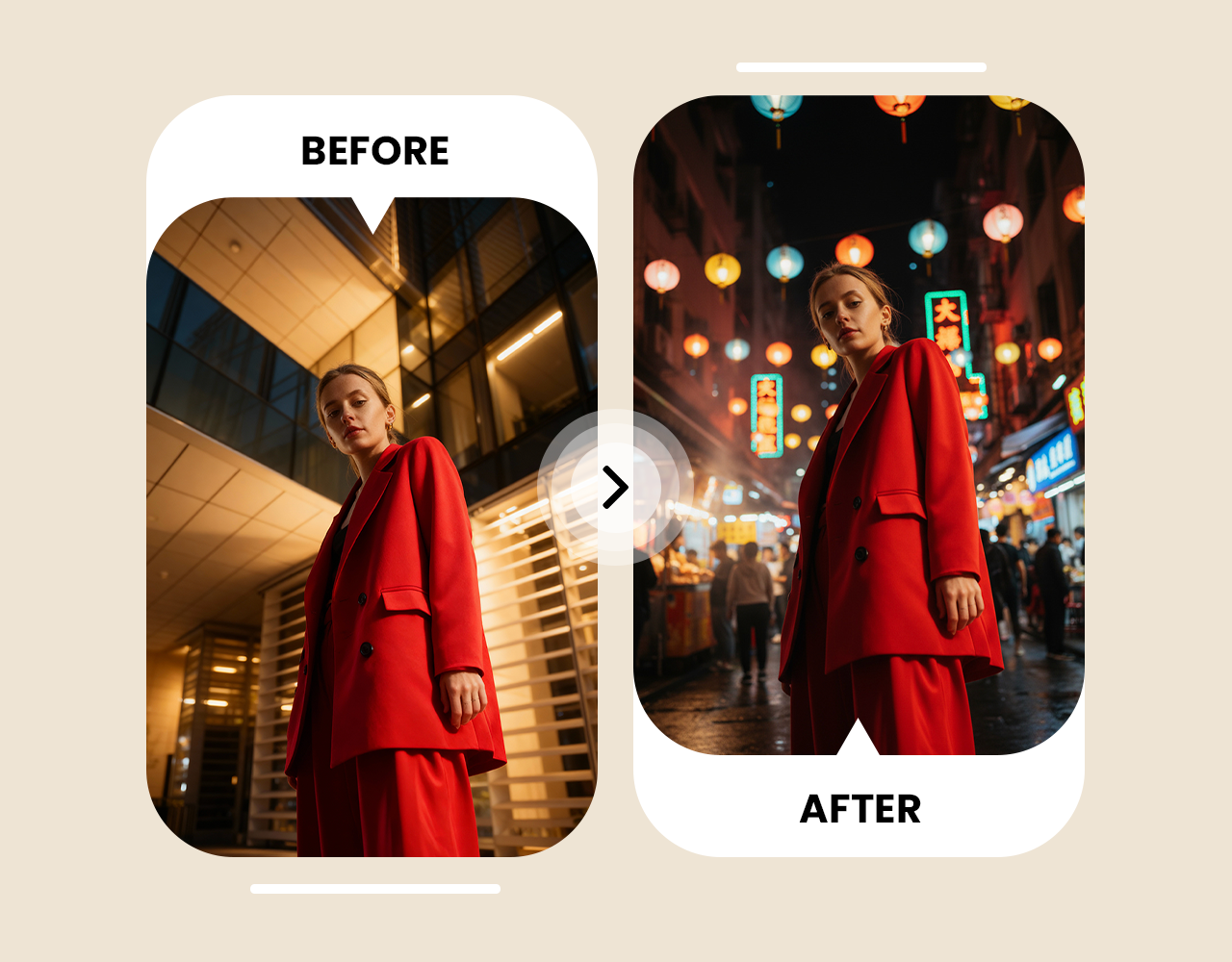
Describe the Background You Want. No Tracing, No Preset Library
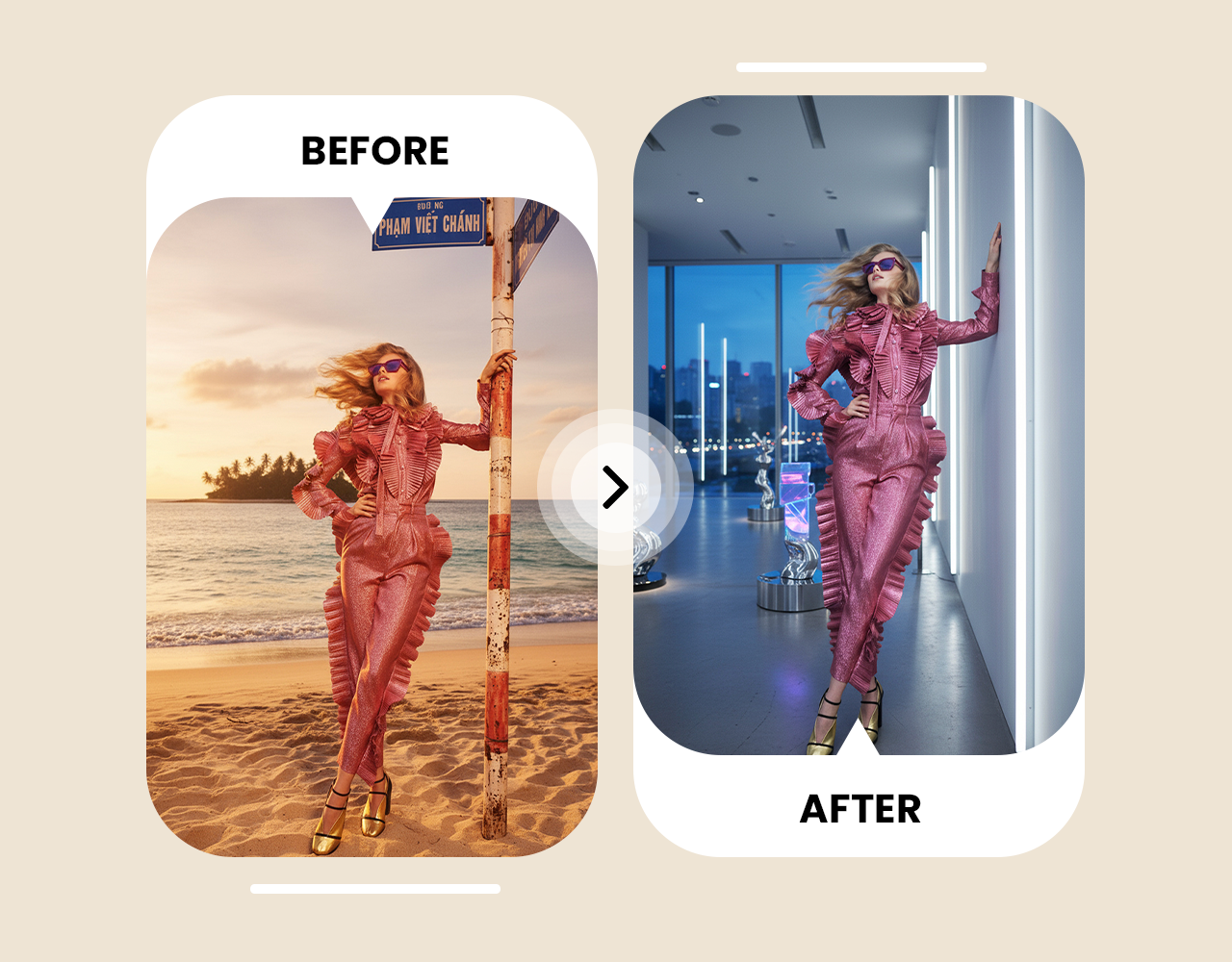
Professional Product Backgrounds. No Studio, No Photoshoot.
imov removes cluttered or colored backgrounds and replaces them with on-brand images or branded backdrop. The background editor keeps the subject outlines sharp, without fringing or soft halos on edges. Your product photos come out clean with edited background ready to use directly as social media posts, marketing materials and online stores. For product video and social media reels, AI Video Background Changer applies the same background removal to moving footage, no green screen needed.
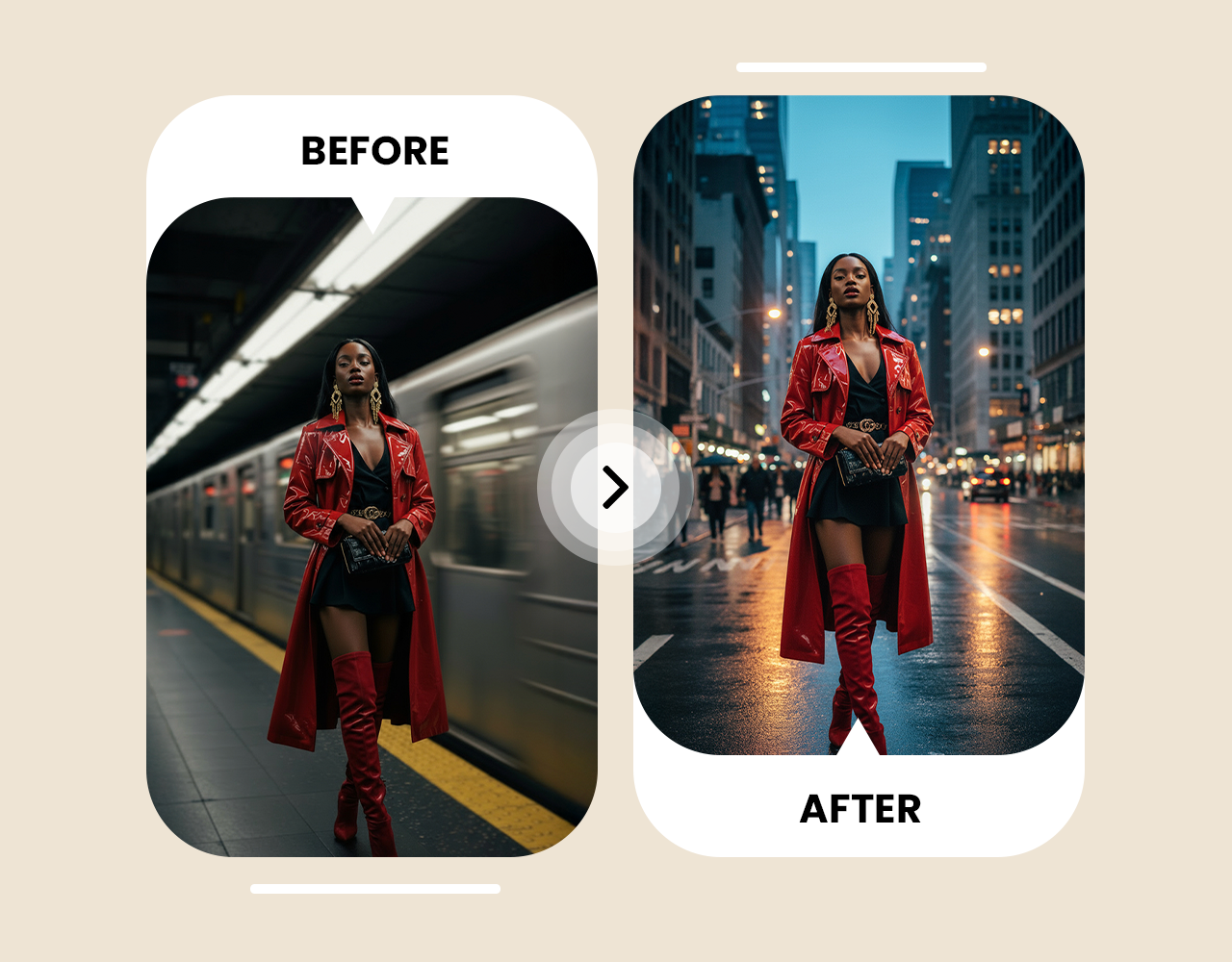
Change Background of Photos in Bulk. One Setup, Every Image.
For brands and agencies working through large image libraries, imov's AI Workflows automates background changes across entire batches in a single run. Choose your background style: white studio, branded backdrop, or any described scene. Apply it to every product shot, profile photo, or campaign image consistently, with no manual repetition between files. For quick image background cleanup, try imov AI object remover to erase unwanted elements from the final image.


Choose a plan that fits your needs
Upgrade to get access to pro features and generate more and better
Kling
ByteDance
Minimax
Nano Banana
Gemini
Claude
Qwen
GPT Image
Runway
Grok
Trusted by Professionals and Creators from top Brands and Companies
Hear From Users Who Tried Our Background Changer Online
imov Background Changer made my selfies look amazing. I just typed “sunset beach” and it completely transformed the photo without any extra effort.

Anya Petrova

I have never seen a more perfect photo background changer. I use imov Background Changer for my small business. It replaced messy backgrounds in product shots and made everything look professional for our online store.

Ben Harris

As a hobby, I love experimenting with fun backgrounds. imov Background Changer lets me place my photos in forests, city streets, or dreamy landscapes with zero hassle.

Isabelle Kim

For marketing projects, imov Background Changer saves me so much time. I can swap backgrounds on multiple product images while keeping every detail crisp and clean.

Michael Chenn

Got Questions? Let Us Answer
imov AI Background Changer is a tool that uses artificial intelligence to automatically replace image backgrounds. imov AI Background replacer detects the main subject, creates clean cutouts, and applies new backgrounds instantly while preserving realistic lighting and details.
imov Background Changer uses AI to automatically detect the main subject in your image and separate it from the background. It creates clean, accurate cutouts without manual tracing, saving you time and effort.
Yes, imov background changer works on selfies, product shots, and complex images. Users can swap backgrounds quickly while keeping all details intact.
We have multiple input options for the user. You can upload an image, select one from a gallery, or type a prompt like “add clear sky in background” or “green screen as background” and Ai image changer applies it accurately.
imov Background Changer uses high-precision edge detection to keep hair, pets, and textured objects intact. Fine details are preserved while creating clean cutouts.
Yes, the background changer works for both personal and professional use. Backgrounds can be replaced for social media, presentations, or marketing content.
This background changer handles high-resolution images quickly without losing quality, delivering professional results in seconds.
Yes, imov Background Changer creates polished backgrounds suitable for marketing, presentations, and online content.
Yes, you can upload your own image or select from stock galleries. AI photo background changer applies it seamlessly with precise edges.
Every user gets 100 free credits when they sign up to imov. You can use those credits to try our image background changer for free.
Yes, the background changer works on low-resolution or older photos while maintaining clarity and clean cutouts. But for better results, it's best to use our AI image upscaler for improved image quality.
Yes, this background changer works seamlessly across all devices, letting you edit wherever you are.
Yes, imov Background Changer maintains natural shadows and lighting for natural-looking images. Backgrounds blend smoothly with subjects.
Yes, our AI photo background changer detects multiple subjects and creates accurate cutouts for each, ready for a new background.
Absolutely. imov Background Changer AI is easy to use and very beginner-friendly. A few clicks or words with the background changer are enough to replace backgrounds without prior skills.
You can use clear and descriptive prompts to guide the AI background changer. Users can type prompts like “change background to bright blue sky with soft clouds” or, “Remove the background and add a modern white studio room”, etc. The tool reads simple descriptions and creates realistic backgrounds that match the photo.
Compared to traditional manual editing, AI background changer is faster and more accurate. The online background changer automates cutouts while keeping professional-quality results. So you don't need to have any editing experience, just upload your photo, describe the background change and generate. Yes, its that easy!
Yes. After imov detects and removes image background, type prompt ‘add transparent background,’ and download the result as a transparent background PNG. This is useful for placing your subject on a new background in other tools, website builders, or design software